

A digital time clock in the phone or on a shared terminal
Staff clock in and out in the app or the browser. The time is recorded against the server as it happens, so it is not written down and typed up later.
- Part of
Time
- Included in
Core · Pro · Enterprise
- Available on
Browser · iPhone · Android
What you get
Nobody collects paper slips and nobody copies figures across.
The time recorded is the time that happened, not the time somebody remembered.
A shared terminal in the staff room works as well as a personal phone.
Where the time is recorded
One tap clocks in. The employee sees their running time counting up and their most recent entries with totals, which is enough for them to notice their own mistake before anybody else has to.
It works in the browser as well as in the app. That matters more than it sounds: a shared tablet by the staff room door is a legitimate setup, and it means the system does not depend on every member of staff owning and carrying a suitable phone.
Against the schedule
When a shift has been published, the clock-in is compared against it and the difference is shown on the time report the same day. A closing that ran over is a number on a row the same day.
Location, in Pro
Workplaces are set up with an address and a permitted radius, and you can require that the position is validated when somebody clocks in.
The position is read at the clock-in and not in between. Continuous tracking through the working day is a different thing entirely, and Timply is not built to do it.
The staff register, in the sectors it applies to
Where your premises is covered by the electronic staff register requirement, staff clock in once and that is enough. The same entry is used for the register and for payroll, so the shift is not recorded in two places.
That covers restaurants, hair and beauty, laundries, vehicle servicing and food wholesalers. Construction has its own rules with its own reporting, and Timply writes that file too. More on the electronic staff register page.
Connection
The clock records against the server at the moment of the clock-in, so it needs coverage then. There is no offline queue today. It is high on the list of what is being built next.
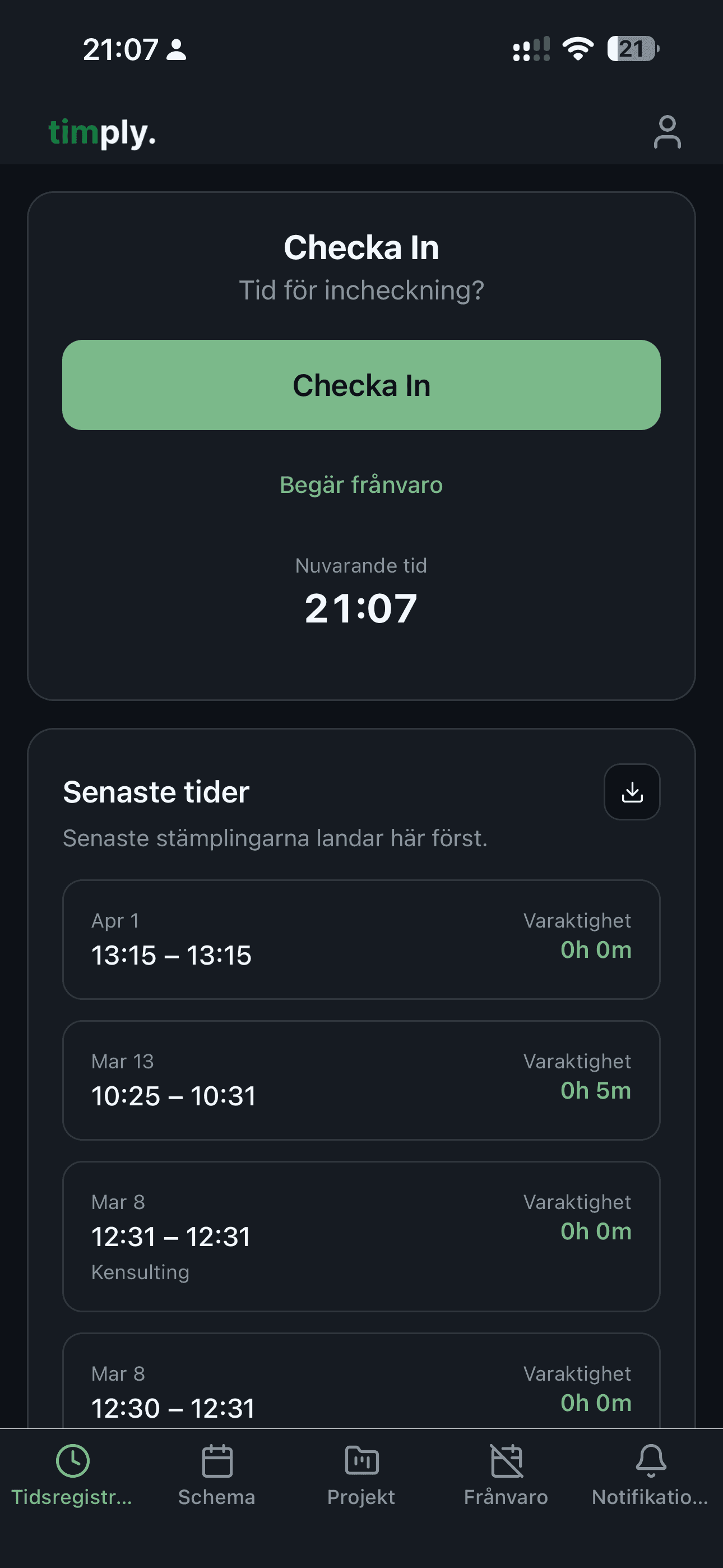
How it works in Timply
- Where
The Timply app for iPhone and Android, or any browser
- Shared terminal
A single device in the staff room works, so a personal phone is not required
- Running time
The employee sees the time counting up and their most recent entries
- Against the schedule
The clock-in is compared with the published shift and the difference is shown
- Location
Workplaces with an address and a permitted radius, with the position validated at clock-in
Pro - Projects
Clocking in against a project as well as against the day
Pro - Break
Recorded on the entry and deducted from the hours worked

The time clock is what we use most. Everybody clocks in when they get to the customer.
Common questions
Does every employee need their own phone?
No. The clock works in the browser as well as the app, so a shared terminal in the staff room works as well as a personal phone.
Can we require that staff are on site to clock in?
In Pro. You set up workplaces with an address and a permitted radius, and require the position to be validated at clock-in. The position is read at the clock-in and not in between, so nobody is tracked during the working day.
What happens if somebody forgets to clock out?
The day shows as open in the time report and can be corrected there. The correction keeps the original alongside it.
Does the clock work without a connection?
No. Clocking in and out records against the server as it happens, so it needs coverage at that moment. An offline mode is high on the list of what is being built next.
Is the time clock an electronic staff register?
Yes, for the sectors covered by skatteförfarandelagen chapter 39. In restaurants, hair and beauty, laundries, vehicle servicing and food wholesalers one clock-in serves both the register and payroll. Construction has its own rules with its own reporting to the Swedish Tax Agency.
More features
Time reporting with scheduled and actual hours on the same row
One row per employee and day, with the hours scheduled, the hours worked and the difference between them. Deviations are visible the same day rather than at the end of the month.
Lay out the week and publish it
Create shifts, staff them and see straight away which ones are unstaffed. Everyone gets their own schedule on their phone the second it is published.
OB, split by the hours and weekdays you set
You enter the windows your collective agreement uses. Timply divides every clocked hour between them and books each part to the payroll code it belongs to.
A payroll file your payroll system imports without rework
Worked hours, OB, overtime, mertid and absence are totalled per employee and given the right payroll code. You download a PAXml 2.0 file and import it.
This feature is part of Timply's system for scheduling, time tracking and payroll files. See all features
Try Timply with your own staff
Set it up yourself with your real schedule and your real staff. If you would prefer someone to walk you through it, book a demo.
- Trial
- 14 days
- Credit card
- Not required
- Refund
- Within 30 days of purchase