

Leave requests and absence, with a decision that is recorded
Staff request leave and report sickness in the app. A manager approves, and the absence goes to payroll with its own code and the extent that was approved.
- Part of
Absence and leave
- Included in
Core · Pro · Enterprise
- Available on
Browser · iPhone · Android
What you get
A request and its decision live in one place, with a timestamp on both.
Absence reaches payroll carrying its own code.
Part-day absence is recorded at the extent it happened.
The request and the decision in one place
Leave arranged in a message thread has no record. Somebody remembers agreeing to it, the schedule does not, and payroll finds out at the end of the month.
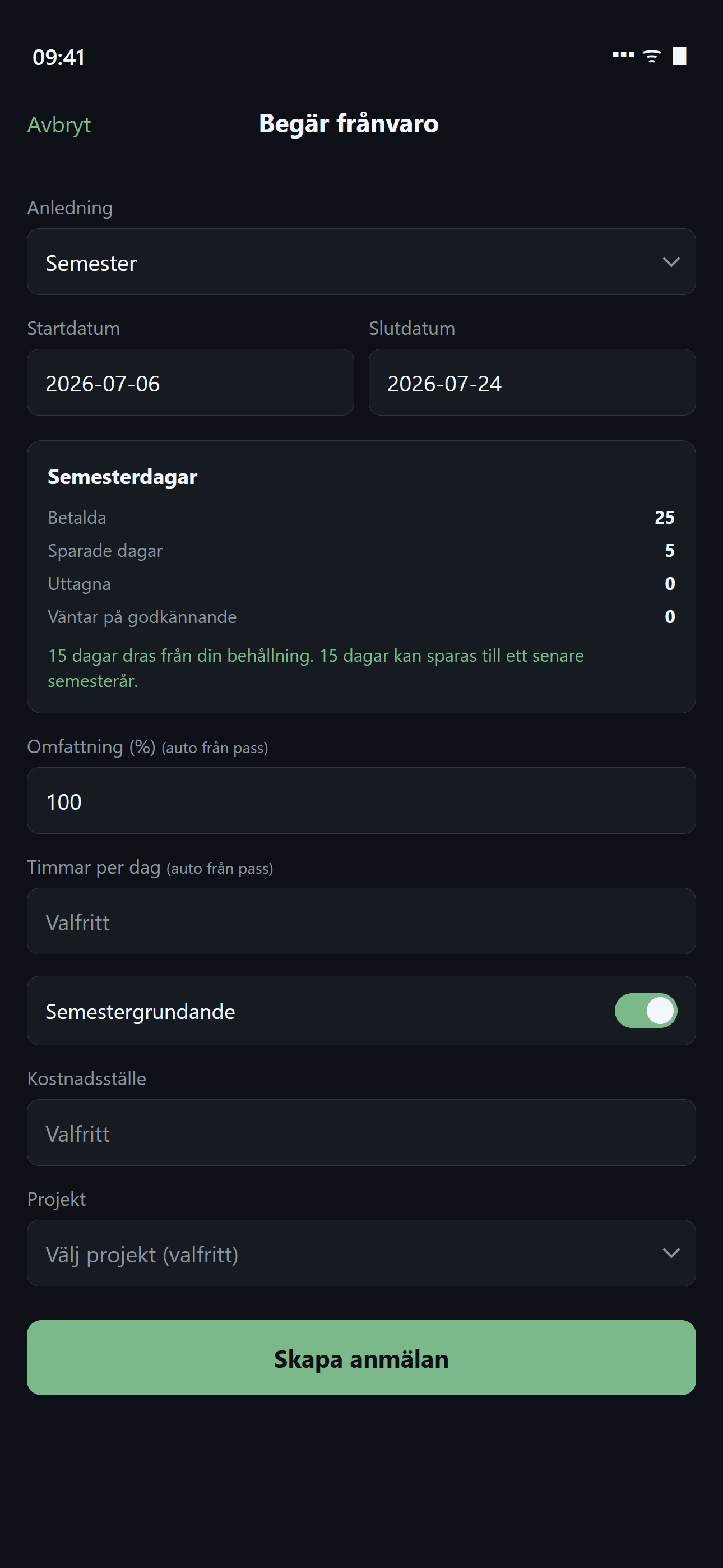
A request in Timply carries its type, its dates, its extent and its status. A manager approves or declines it, and the decision keeps who made it and when. The employee is notified and can see the answer without asking again.
Absence is a row, not a gap
The important part comes after the decision. Approved absence is not an absence of hours. It is its own entry with its own payroll code, at the extent that was approved.
| Absence | Code |
|---|---|
| Sickness | SJK |
| Holiday | SEM |
| Care of a sick child | VAB |
| Parental leave | FPE |
| Time off in lieu taken | KOM |
That is what lets a payroll system handle a half day of care for a sick child as a half day. A gap in the hours would have to be interpreted by a person.
Holiday-qualifying or not
A request is marked as holiday-qualifying or not when it is made, which is what the holiday calculation needs in order to work out the paid days for the holiday year. Making that decision at the point of the request means it is made by somebody who knows the situation, while they still remember it.
Planned leave and sick reporting differ
Requesting works for leave that is planned. Sick reporting is a report, so it does not wait for approval before it is visible in the schedule.
How it works in Timply
- Requesting
Leave and sick reporting from the app or the browser
- Types
Holiday, sickness, care of a sick child, parental leave, time off in lieu and unpaid leave
- Decision
Approved or declined by a manager, with the decision maker and the time recorded
- Extent
A percentage, so half a day of care for a sick child is half a day
- Notification
The employee is notified when a decision is made
- Schedule
Approved absence is visible in the week, so it is not staffed over
- Payroll
Each type carries its own code into the PAXml file
- Qualifying
A request is marked as holiday-qualifying or not
Common questions
Can staff report sickness in the app?
Yes. Sick reporting and leave requests are both made in the app or the browser, and the employee follows the status of the request in the same place.
How is part-day absence handled?
With an extent in per cent, so half a day of care for a sick child is recorded as half a day.
Does approved absence show in the schedule?
Yes, so somebody who is away is not scheduled over.
Does Timply calculate the sick pay deduction?
The deduction is calculated in the payroll system, because it needs salary figures. Timply delivers sick absence as hours on the code SJK, with the extent in per cent for part-time sick leave.
Which plan includes leave requests?
All of them. Leave requests including holiday requests are in Core. The calculation of holiday entitlement and paid days needs Pro.
More features
Holiday under the Swedish Annual Leave Act, per employee and holiday year
Timply keeps each employee's holiday year, paid and unpaid days, days saved from earlier years and manual adjustments.
The Timply app for iPhone and Android
Clock in, see your schedule, request leave and read messages from work. The app is included in every plan at no extra cost per user.
A payroll file your payroll system imports without rework
Worked hours, OB, overtime, mertid and absence are totalled per employee and given the right payroll code. You download a PAXml 2.0 file and import it.
Lay out the week and publish it
Create shifts, staff them and see straight away which ones are unstaffed. Everyone gets their own schedule on their phone the second it is published.
This feature is part of Timply's system for scheduling, time tracking and payroll files. See all features
Try Timply with your own staff
Set it up yourself with your real schedule and your real staff. If you would prefer someone to walk you through it, book a demo.
- Trial
- 14 days
- Credit card
- Not required
- Refund
- Within 30 days of purchase